Nitro PDF Pro – Activation Instructions
Nitro PDF Pro – Offline Activation Instructions (Windows)
Follow the steps below to activate Nitro PDF Pro using the official offline activation method.
Before you start:
- Make sure Nitro PDF Pro is installed.
- If you have an older Nitro version, uninstall it first.
- Have your valid license key ready.
Step 1: Start Activation
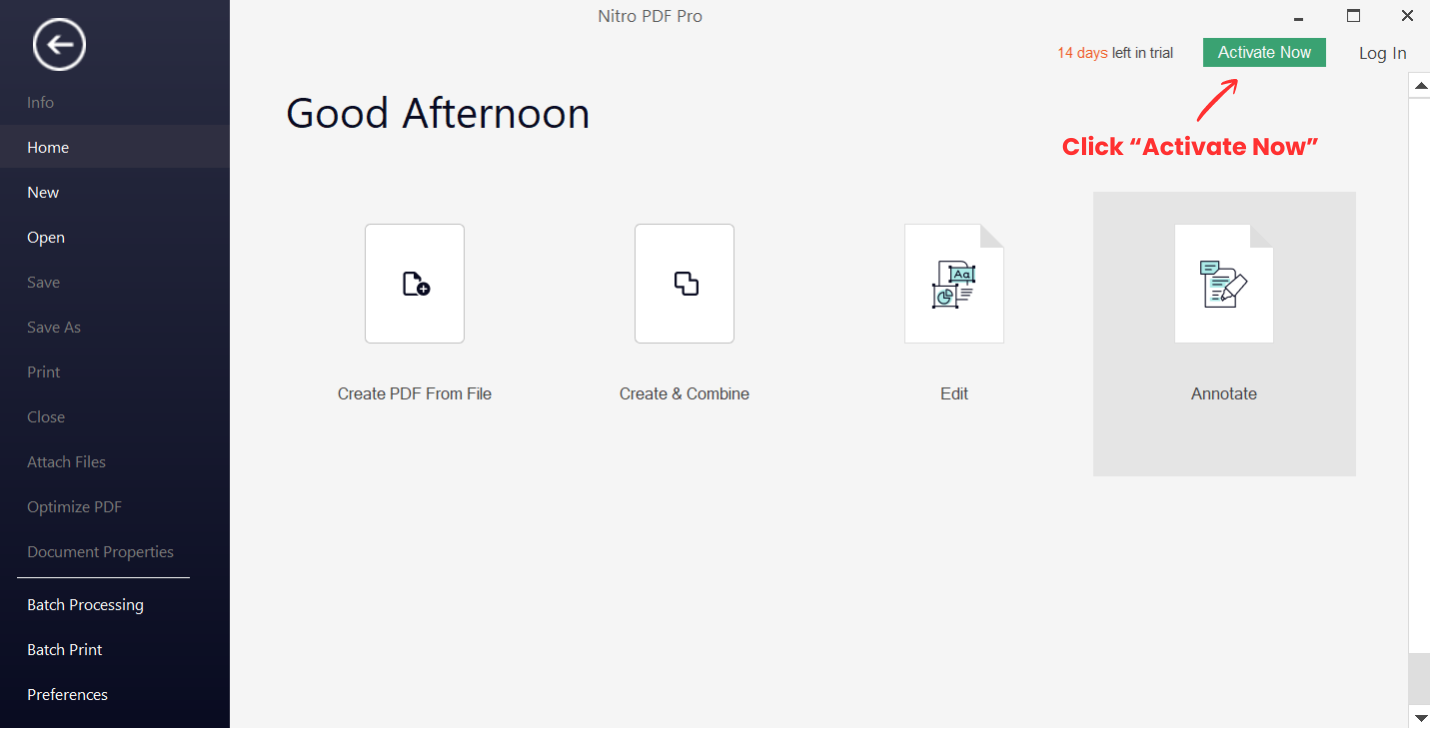
- Open Nitro PDF Pro.
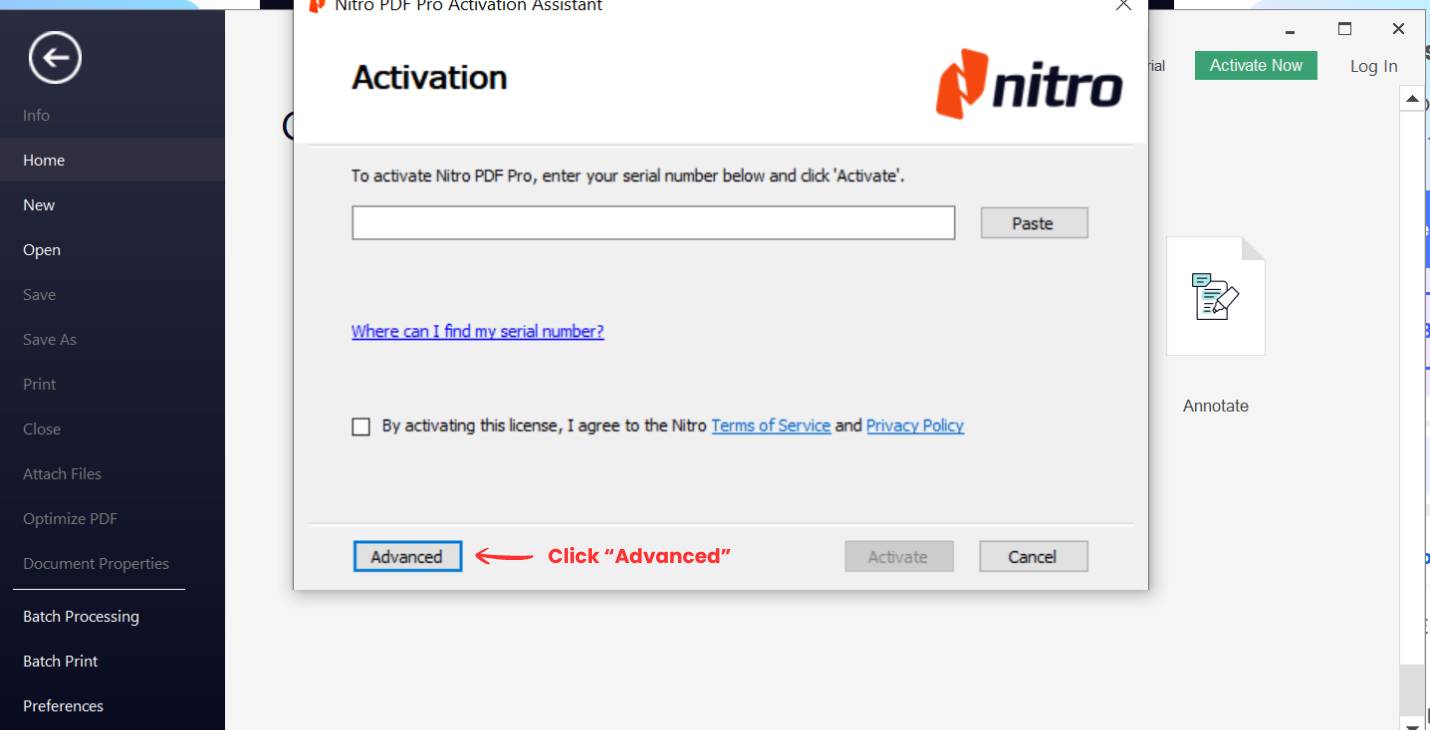
- Click Activate Now.
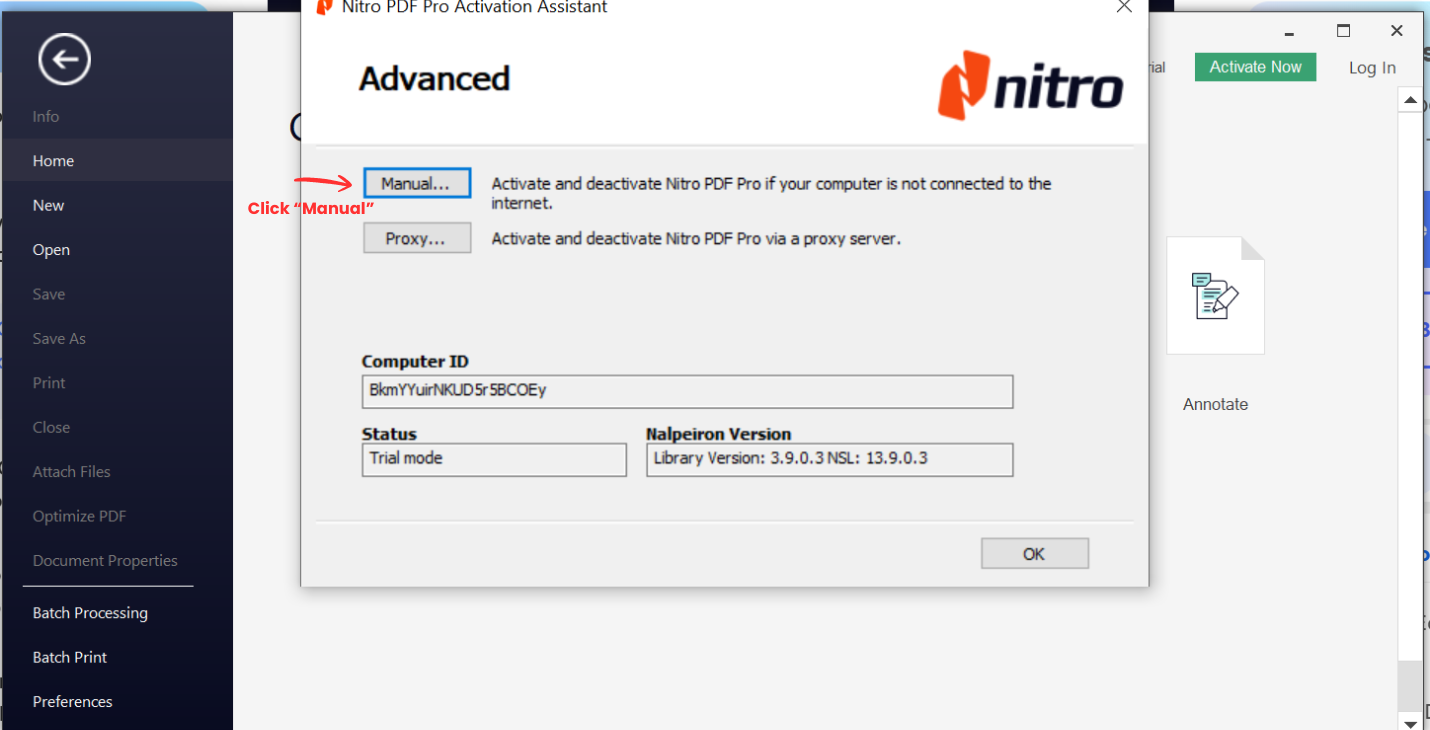
- Click Advanced.
- Select Manual….
Step 2: Enter Your License Key
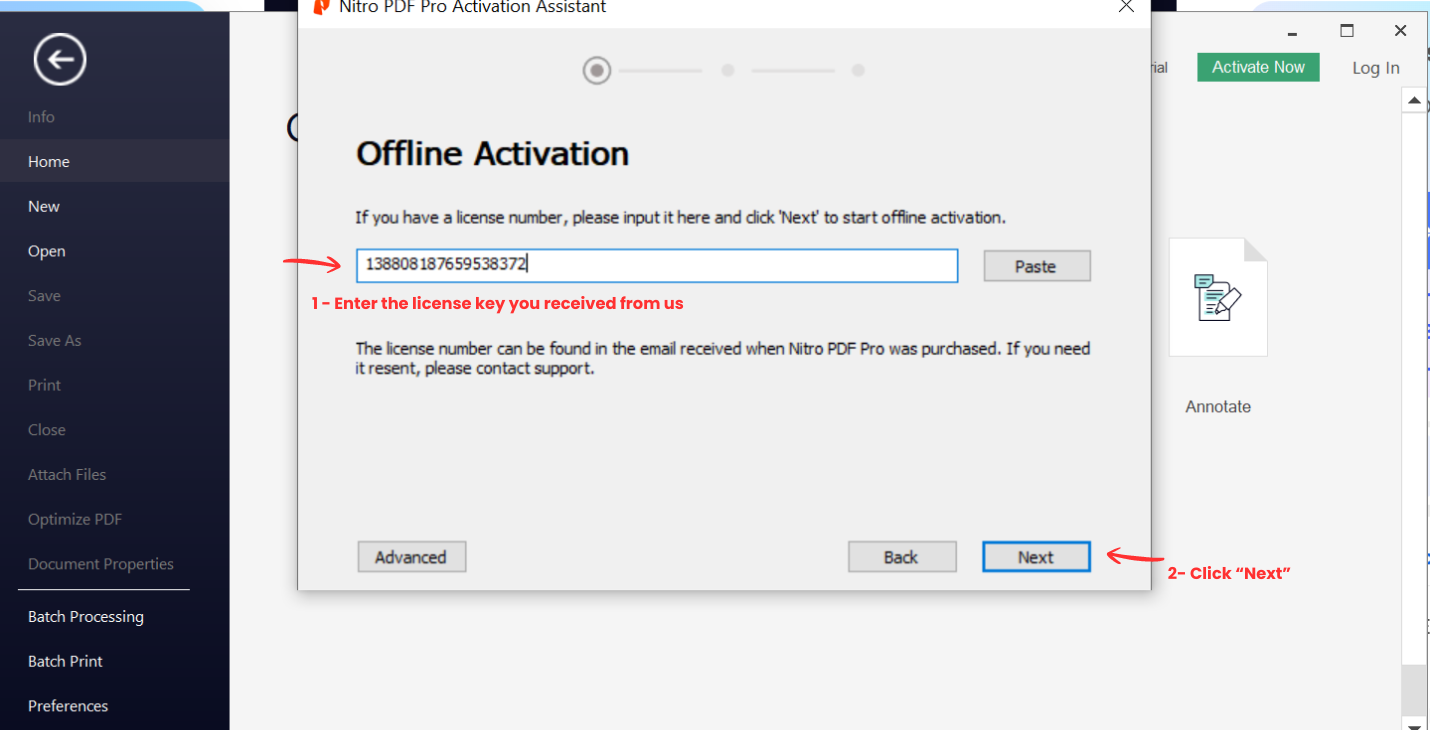
- Enter the license key you received.
- Click Next.
Step 3: Copy the Generated Code
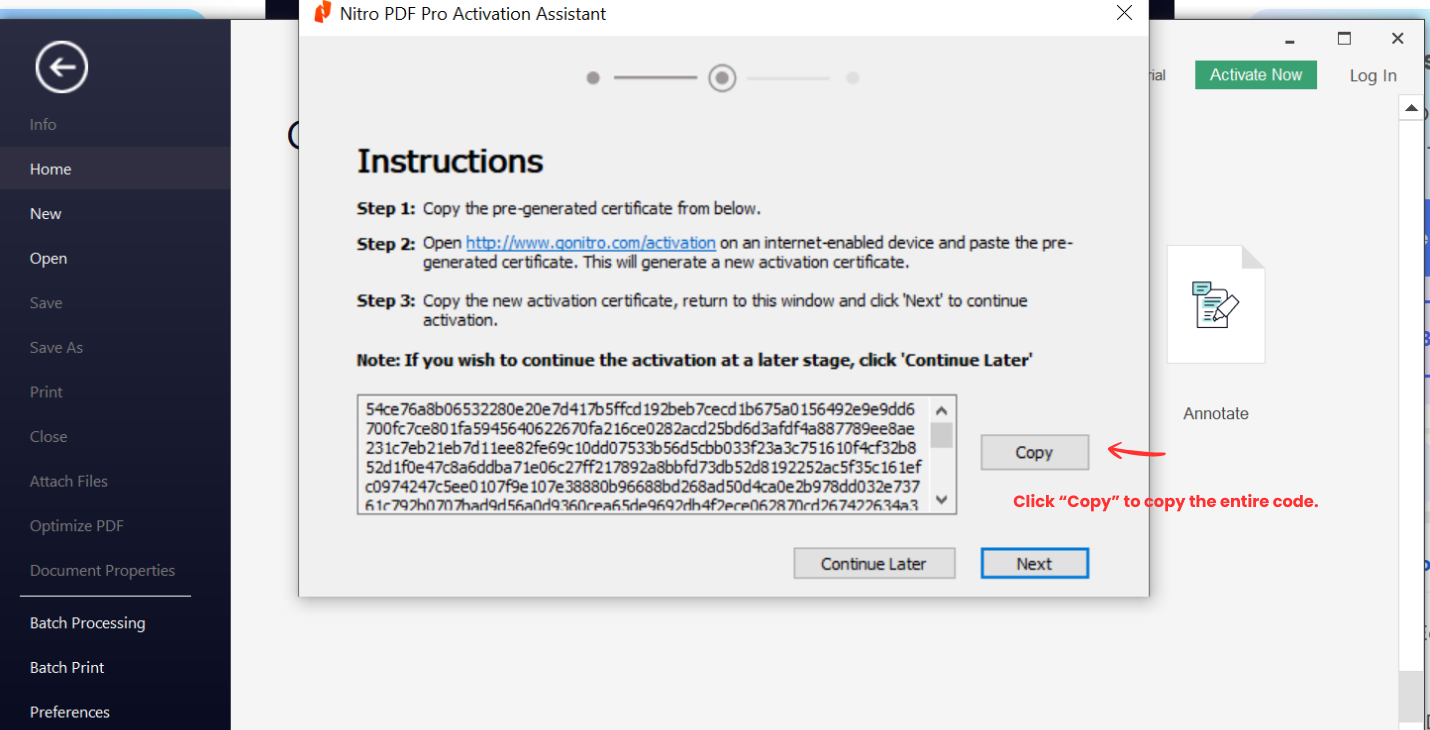
- Nitro will display a long code.
- Click Copy to copy the entire code.
Step 4: Generate the Activation Certificate (Official)
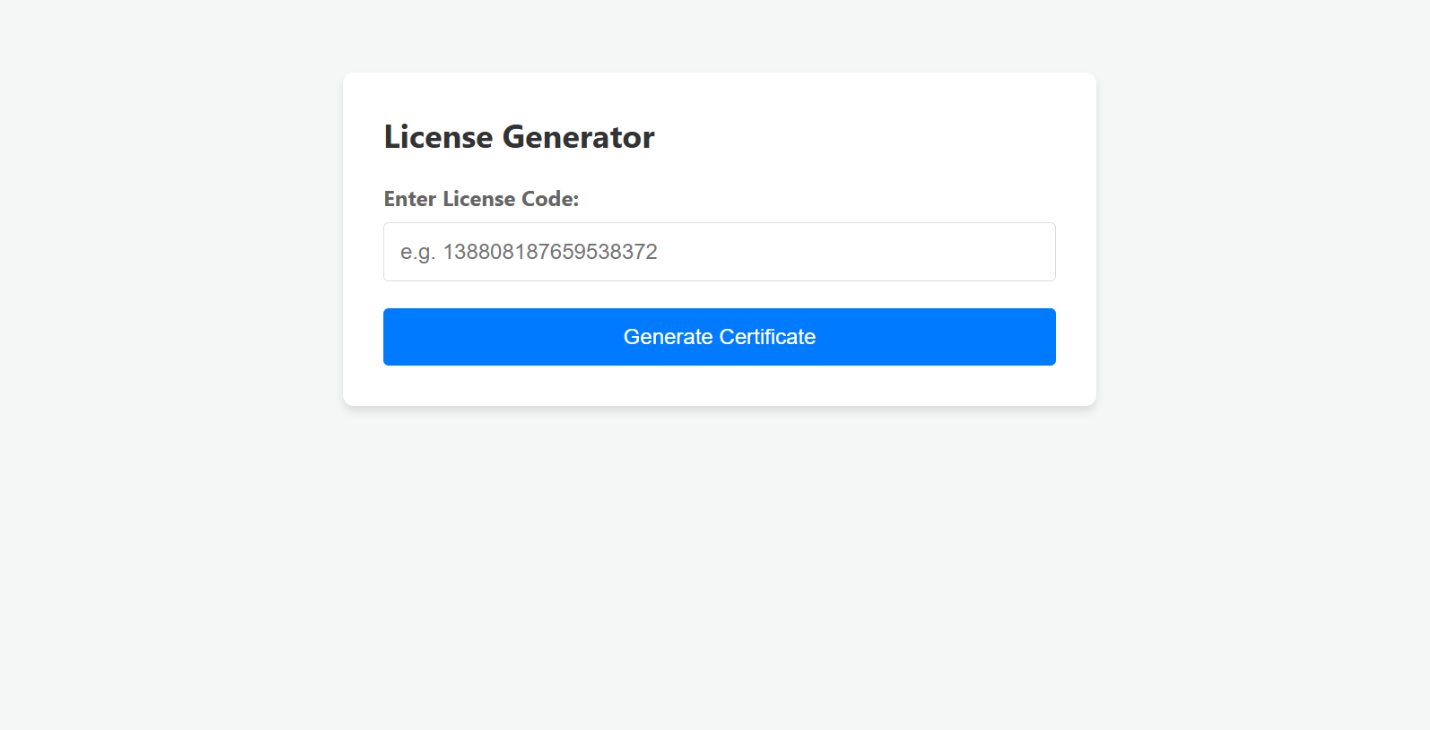
- Open the License Generator website:
- https://www.gonitro.com/support/offline-activation
- Paste the copied code into the required field.
- Generate and copy the activation certificate.
Step 5: Complete Activation
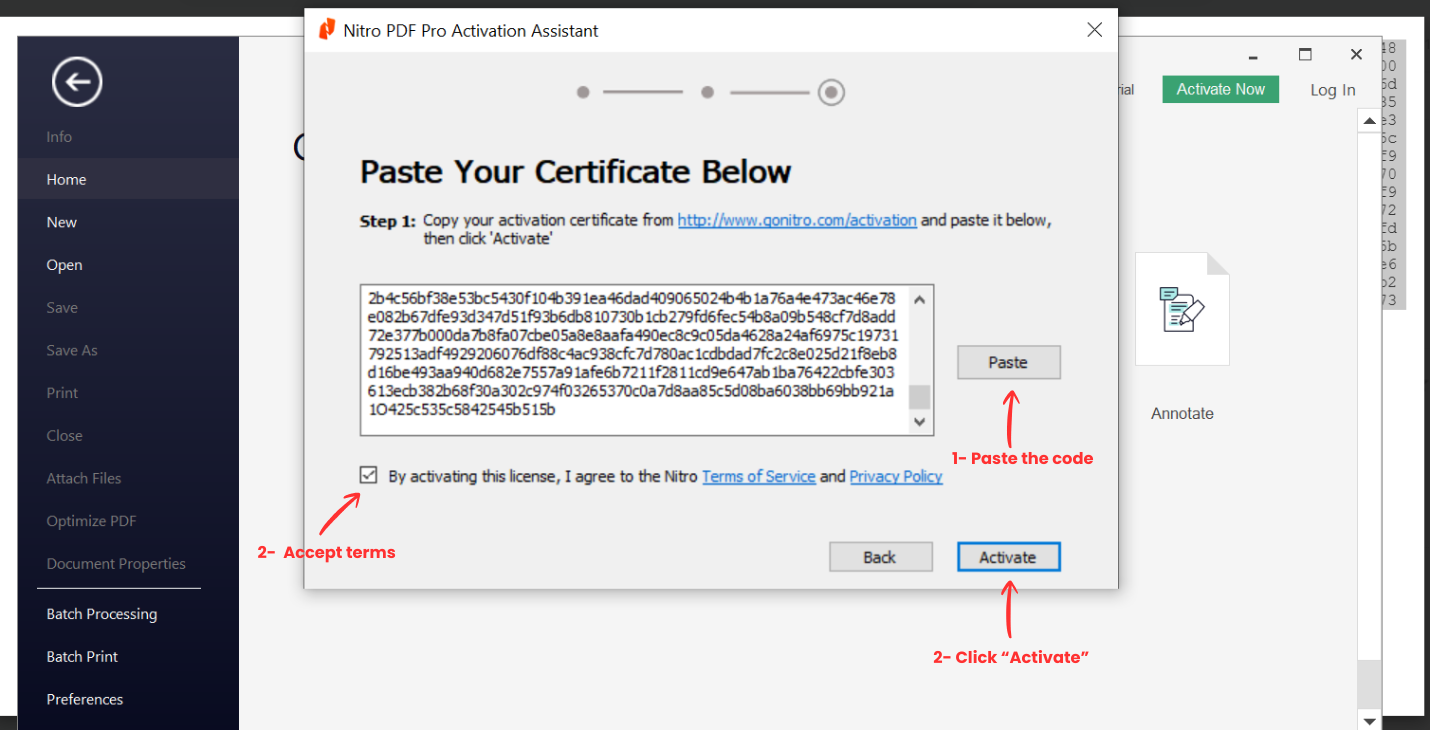
- Return to the Nitro activation window.
- Paste the activation certificate.
- Accept the terms and conditions.
- Click Activate.
Step 6: Finish
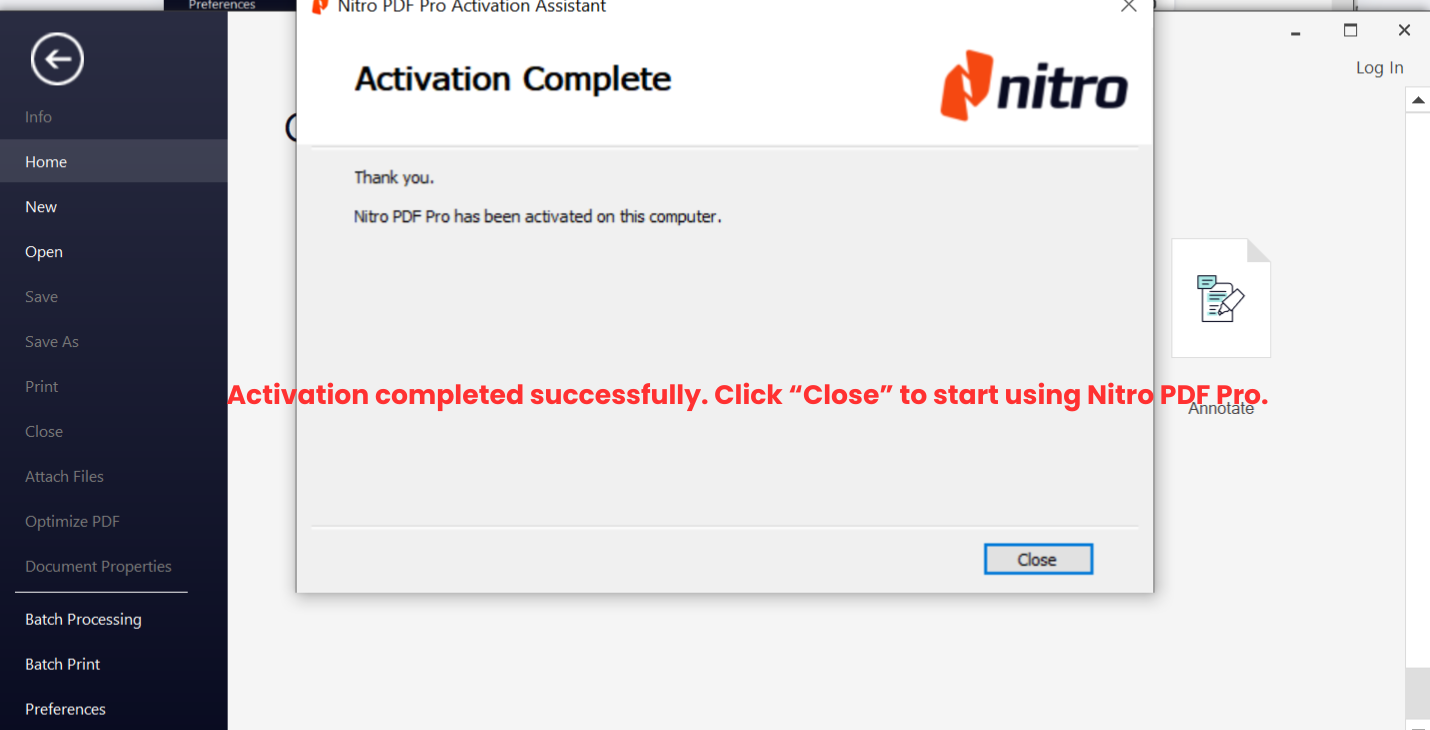
- You will see Activation Complete.
- Click Close and start using Nitro PDF Pro.
Need help?
If you encounter any issues, please contact us at:
contact@trueddle.com
(Include a screenshot of the error if possible.)